The Author Journal
For authorsUpdated 2 min read
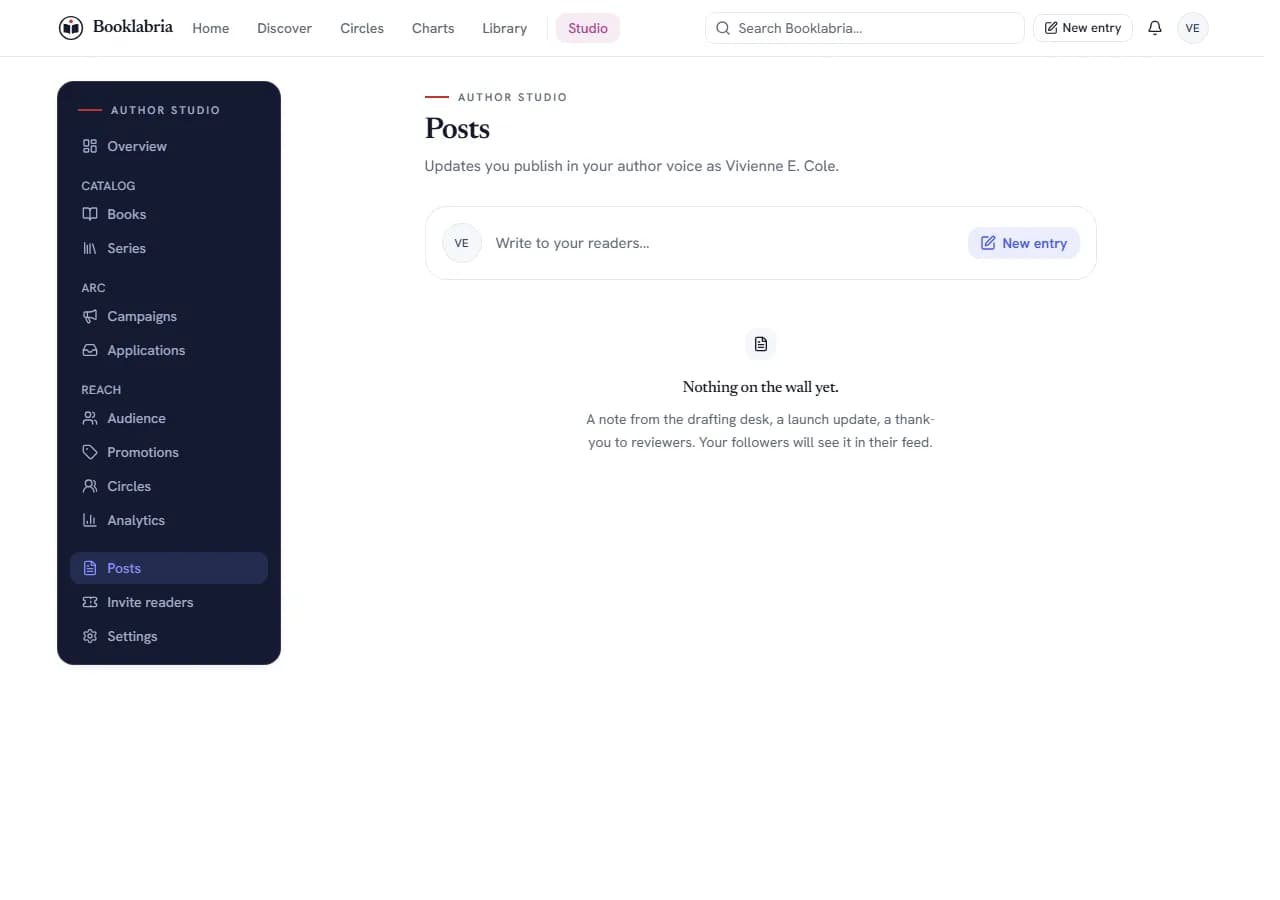
New entry opens the Journal composer with fourteen formats in four groups (General; Book and Story; Launch and ARC; Community), each asking only for what it needs, an audience (Public, Followers, Only me), an optional content note that hides the entry behind a spoiler warning, and a preview. Entries can be saved as drafts under Studio, Posts, and one can be pinned to your page.
The short answer
Writing an entry
New entry (the top bar's one button, the floating compose button on a phone, Studio home, and the first row of your public page's Journal) opens the Journal composer. Pick a format; each asks only for what it needs:
- General: General post (optionally attached to a book).
- Book and Story: Draft progress (which book or project, the draft stage, word count, a milestone), Book excerpt (a title, a chapter or scene label, a quote), Character spotlight (who we are meeting, quick facts), Worldbuilding note (a place, faction or thing), Letter to readers.
- Launch and ARC: Cover reveal, Release announcement (release date, pre-order link), Series update, ARC invitation (choose one of your active campaigns), Author event (date and time, time zone, location or online link).
- Community: Studio note, Reading recommendation (a book on Booklabria, or a title elsewhere with its author), Reader question or poll (an open question, or two to six options).
Then choose who can see this: Public, Followers or Only me. A content note hides the entry behind a spoiler warning until a reader chooses to open it. Preview shows the entry as readers will see it before you publish.
Drafts, pins and edits
- Saved as a draft: only you see it, under Studio › Posts; the composer resumes a saved draft when you come back. There is no scheduling: an entry goes out when you publish it.
- Published to your journal: followers see it in their feed and it sits on your author page.
- Pin: one entry at a time can be pinned to the top of your page.
- Edit post and Delete this post are in the entry's menu; edits keep the entry in place.
The Journal is the author's voice. A reader account's posts go to Reading Life instead (Reading Life posts).
Where this lives
Related
- Your pen name and public page: Your pen name is your public identity; books, series, campaigns and Journal entries attach to it. Edit its name, bios, avatar, banner, the genres you write, the languages you publish in and external links under Studio, Settings. Several pen names per account from Studio, Pen names: add, open in Studio, make primary, archive; Author and Creator one, Pro up to five, Publisher unlimited.
- Following, and what you are told: Follow authors (their pen name), readers and series; their news reaches your feed and the bell, grouped and switchable per author. Notifications live under the bell, everything can be marked read at once, and e-mail is a digest, never one message per event.
- Promotions and events: Studio, Promotions holds deals (a discount, a free run or a bundle, with dates, an optional book and a where-to-buy link) and events (a launch, a signing, a panel, with a place or an online link). Save one quietly or announce it; announcing notifies everyone following your pen name, and there is no unsend.
- Running an ARC campaign: Studio, Campaigns, New campaign walks through the book, dates and reader spots, ideal readers (genres, tropes, languages, regions, requirements), delivery (formats, files, your message) and how to launch (draft, scheduled, or now). Applications gather under Applications with each reader's match and reliability; approve or decline one by one or in batches, and every decision notifies the reader.
- Content warnings and content levels: Authors describe a book's content warnings in their own words and set a content level; both show on the book page, and an Explicit book opens only for signed-in readers who have said they are 18 or older. A topic you asked to avoid keeps matching books out of the books Discover recommends for your taste, and is marked on the book's page wherever else you meet it; nothing is hidden from search.
Was this helpful?
Still stuck?
Still stuck? Ask Booklabria AI
It reads this article and the ones around it, and cites its source.
Write to a person
Support reads every note, with this article attached so the team knows what you already read.
Contact support